




Every growing product team hits the same wall: buttons that don’t quite match, five shades of the same blue, and engineers rebuilding a dropdown that already exists elsewhere. A design system is how mature teams fix this before it becomes a redesign. Here’s what a design system is and why you need one, from a single component to rollout across an enterprise suite.
1. What Is a Design System, Exactly?
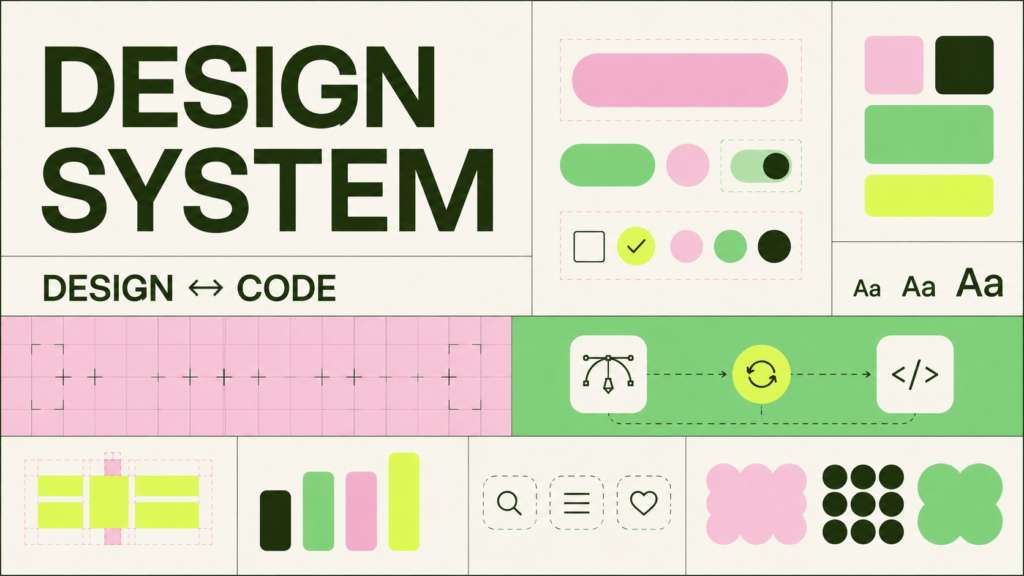
A design system is a shared library of reusable components, patterns, and standards, paired with guidelines on when and how to use them. It’s more than a style guide: it includes design tokens (color, spacing, type), coded UI components, accessibility rules, and content standards kept in sync between design and engineering. Understanding what a design system is and why you need one starts here, since the value comes from that sync, not any single file.
2. Design System vs Component Library: What’s the Difference
A component library is a set of reusable UI pieces, buttons, inputs, cards, that developers drop into a product. A design system vs component library comparison comes down to scope: the library is one piece of the system, alongside tokens, documentation, and governance. Every design system contains a component library; not every library is a full design system.
3. The Core Building Blocks: Tokens, Components, and Patterns
Design tokens are the atomic values, colors, spacing, font sizes, stored once and referenced everywhere, so a rebrand means changing a variable, not hunting through hundreds of files. Components combine tokens into reusable pieces, and patterns show how components solve recurring problems like onboarding or checkout. Brucira’s approach to brand identity deliverables treats these building blocks as core outputs, so the visual language holds up past launch.
4. Why You Need a Design System
Without one, every new feature reinvents decisions already made, slowing delivery and letting brand consistency drift. With one, designers spend less time redrawing basics, developers ship faster from approved components, and the product feels like one brand, not a patchwork of teams. That’s the practical case for why you need a design system: it protects speed and consistency at once, which rarely happens by accident.
How Brucira Simplified Sexual Healthcare Journeys for Kindly Health
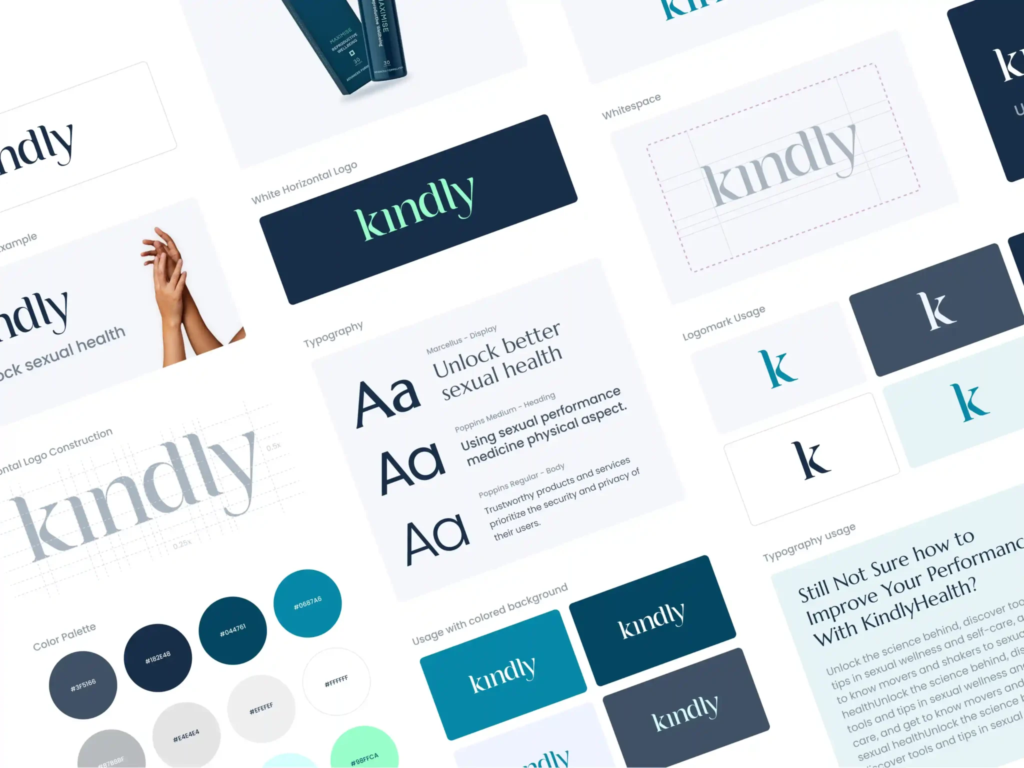
Brucira’s redesign of Kindly Health’s website and mobile experience shows this payoff. Instead of redesigning each page in isolation, the team established guidelines and reusable components, product cards, testimonials, FAQs, coupons, so new sections got assembled from a shared kit rather than built from scratch. That consistency made a sensitive, trust-dependent product feel cohesive across every touchpoint, and it’s why the client praised Brucira’s ability to translate brand sensitivity into a repeatable design language.
5. Design System Documentation for Developers
A system nobody can find gets ignored within a quarter. Good design system documentation for developers covers component props, accessibility behavior, framework-specific code snippets, and clear status labels for what’s approved versus deprecated. Storybook, Zeroheight, or a well-kept wiki all work, the format matters less than updating docs the same day a component changes, not months later.
6. Governance: Who Owns and Maintains the System
A design system without an owner slowly rots as teams patch around it. Most mature systems run a small core team spanning design and engineering, a contribution process for other teams to submit additions, and a versioning approach so breaking changes don’t quietly ripple downstream. Brucira’s prototyping and iterative testing process fits here, since new components should be validated with real users before joining the shared library.
7. Scaling a Design System Across Multiple Enterprise Products
Scaling a design system across multiple enterprise products is a different challenge than maintaining one for a single app. Product teams run different release cadences, tech stacks, and sometimes sub-brands, so the system needs a stable core (tokens, foundational components) plus a themeable layer letting each product flex without forking the whole thing. Adoption also needs incentives: teams contribute when the system is genuinely faster than the alternative.
How Brucira Scaled Consistency Across Touchpoints for Titan Eyeplus

Titan Eyeplus needed its mobile experience to feel consistent across very different conversion paths, Try at Home, Visit Store, Eye Test, each with its own flow but the same brand underneath. Brucira built shared iconography, illustration, and motion guidelines that carried across every touchpoint, so discovery and checkout felt like one product rather than three bolted together. That’s the same discipline enterprise teams need when a design system serves multiple products at once: consistent foundations, flexible execution, and requirements precise enough that alignment doesn’t depend on tribal knowledge.
8. Real-World Design System Examples to Learn From
Established design system examples, Google’s Material Design, Atlassian’s Design System, IBM’s Carbon, share a pattern: each pairs a public component library with exhaustive guidelines and a visible governance model. You don’t need that scale to start. A useful internal UI design system can begin with ten components and a token file, then grow as real needs surface.
9. Common Pitfalls When Building or Scaling a Design System
The most frequent failure is organizational, not technical: building the system away from the teams meant to adopt it, or skipping documentation because “the code explains itself.” Treating brand foundations as fixed early, the kind of work covered in Brucira’s brand strategy and positioning process, prevents a lot of this churn.
Final Thoughts
A design system is never really finished. It’s a living product with its own users and upkeep, but the payoff, faster shipping, fewer inconsistencies, a brand that holds together at scale, is one of the highest-leverage investments a product team can make. If you’re still weighing whether you need one, the answer is: the moment two teams solve the same UI problem differently.
Have a design system project in mind? Reach out to Brucira at hello@brucira.com. For more guides like this, visit the Brucira blog, and see these principles in action on our portfolio.
FAQs
Q1: What is a design system and why do you need one?
A design system is a shared library of components, design tokens, and documented standards that keep a product’s UI consistent as it grows. You need one once more than one designer or developer is making UI decisions, since it prevents drift, speeds up delivery, and keeps the brand coherent across every screen.
Q2: What’s the difference in a design system vs component library comparison?
A component library is the set of reusable UI pieces, buttons, cards, inputs, while a design system also includes design tokens, documentation, accessibility rules, and governance. Every design system needs a component library, but a component library alone isn’t a full design system.
Q3: What should design system documentation for developers actually include?
It should cover component props and variants, accessibility requirements, framework-specific code snippets, and a clear status for each component (stable, beta, deprecated). Documentation that isn’t updated the same week a component changes quickly becomes untrustworthy and gets ignored.
Q4: How do you approach scaling a design system across multiple enterprise products?
Keep a stable core of tokens and foundational components shared across every product, then add a themeable layer so individual teams can adapt without forking the system. Pair this with a governance process and clear incentives for teams to contribute back rather than build workarounds.
Q5: What are some good design system examples to reference before starting one?
Material Design, Atlassian’s Design System, and IBM’s Carbon are well-documented public examples worth studying for structure and governance. You don’t need their scale to start. A focused internal UI design system with a handful of components and a token file is enough to prove the value before investing further.
Ready to build or scale your own design system? Reach out to Brucira through www.brucira.com/contact.