





A product may look polished and still frustrate users.
Buttons may be difficult to find. Error messages may be unclear. Navigation may change unexpectedly. These issues can reduce task completion, trust and conversion.
A heuristic evaluation gives teams a structured way to identify usability problems early. It is a practical method used during a UX audit because it can reveal issues without requiring a large research study.
What Is a Heuristic Evaluation?
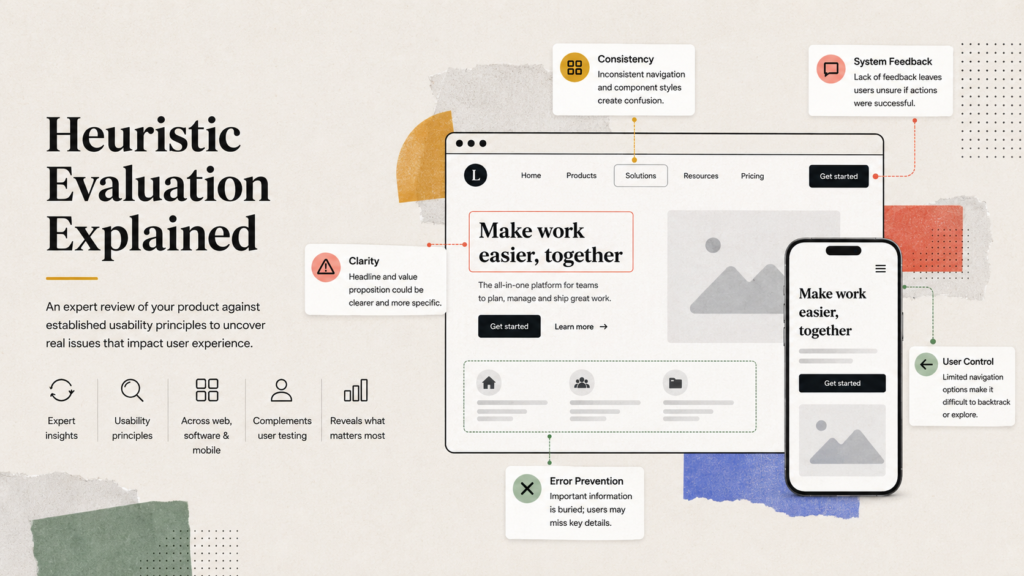
A heuristic evaluation is a usability review in which experts inspect a product against established UX heuristics.
These principles cover consistency, system feedback, error prevention, user control and clarity. Unlike user testing, a heuristic evaluation is based on expert judgement. The methods work well together, but an expert review can reveal problems across websites, software platforms and mobile UX.
1. Define the Scope of the Audit
Begin by deciding what will be reviewed.
The heuristic evaluation may cover an entire product or a specific journey such as registration, checkout, search or account management. Define the platforms, user groups and business goals involved.
A focused scope keeps the UX audit manageable and prevents unrelated observations from affecting the findings.
2. Identify Key User Tasks
List the actions users need to complete successfully.
For an ecommerce product, these may include finding an item, comparing options and completing payment. For a SaaS product, they may include onboarding, creating a project and inviting a teammate.
These tasks give the heuristic evaluation a realistic structure and ensure reviewers examine the journeys that matter most.
3. Select the UX Heuristics
Choose the principles reviewers will use during the heuristic evaluation.
Nielsen’s usability principles are commonly used, but teams can adapt their UX heuristics for accessibility, trust, content clarity, mobile UX or specific industry requirements.
Each principle should be clearly defined so that reviewers assess the product consistently.
4. Choose Independent Reviewers
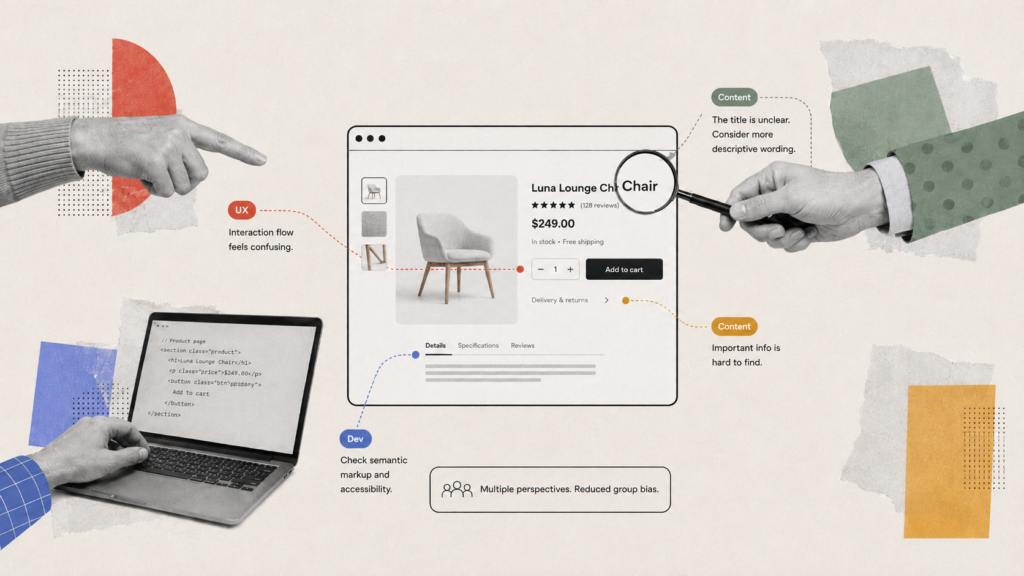
A heuristic evaluation is stronger when several reviewers inspect the product independently.
People notice different problems. A UX designer may focus on interaction patterns, while a content specialist may identify confusing labels and a developer may notice technical limitations.
Independent reviews reduce group bias before findings are discussed and combined.
5. Review the Product Screen by Screen
Each reviewer should move through the selected journeys and record usability issues.
They should check whether the interface communicates what is happening, uses familiar language, prevents mistakes and gives users a clear way to return to the previous step.
Screenshots, screen recordings and structured notes make the heuristic evaluation easier to discuss.
6. Check Navigation and Information Architecture
Navigation should help users understand where they are and what to do next.
During the heuristic evaluation, review menu labels, page hierarchy, search, filters and back actions. Look for duplicated routes, hidden features and inconsistent terminology.
How Brucira Created a Mobile-First Experience for Pine Labs
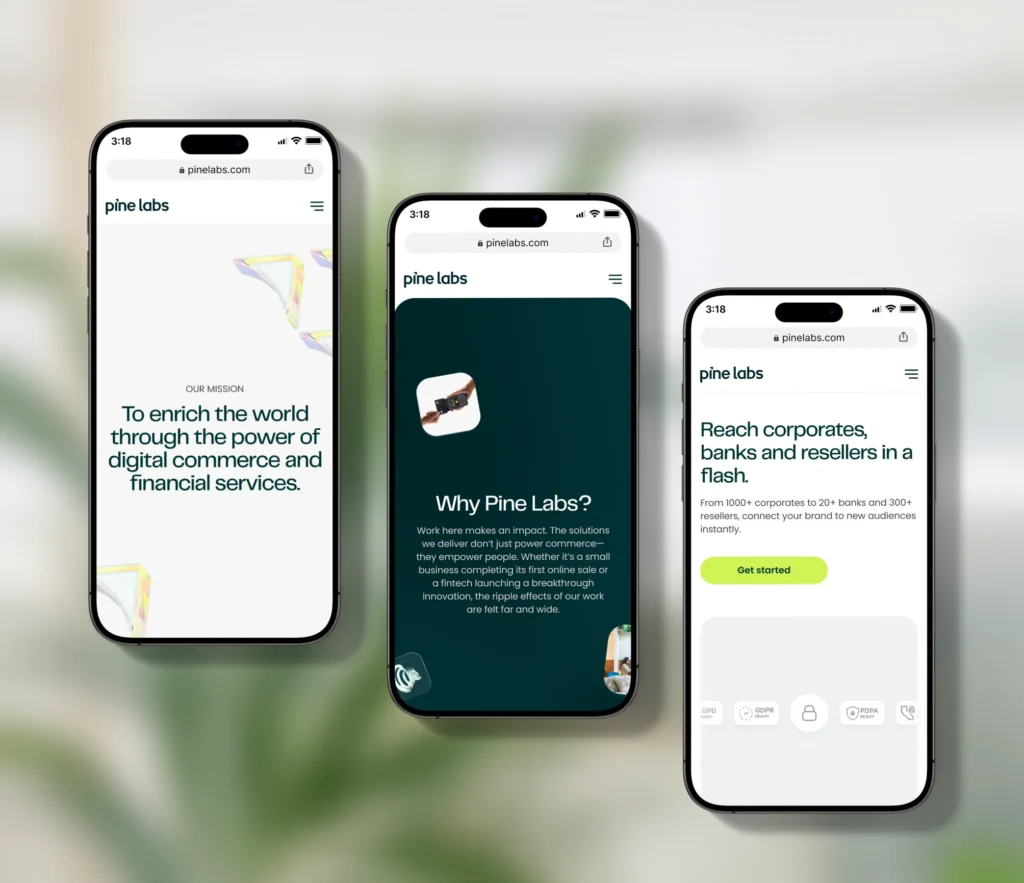
Pine Labs needed to bring several acquired products and services together within one cohesive digital platform. With nearly 84% of its audience accessing the website through mobile devices, Brucira treated responsiveness as a core design requirement rather than a final adjustment.
Layouts, navigation, interactions and motion were adapted for smaller screens to create a consistent experience across devices. This is a useful example of how a heuristic evaluation can reveal navigation and responsiveness issues that directly affect mobile UX.
7. Evaluate Feedback and System Status
Users should never have to guess whether an action worked.
Check loading states, confirmations, progress indicators, empty states and error messages. A strong heuristic evaluation identifies moments where the interface remains silent or provides feedback too late.
This matters in mobile UX, where slower connections, interruptions and smaller screens can increase uncertainty.
8. Identify Errors and Recovery Problems
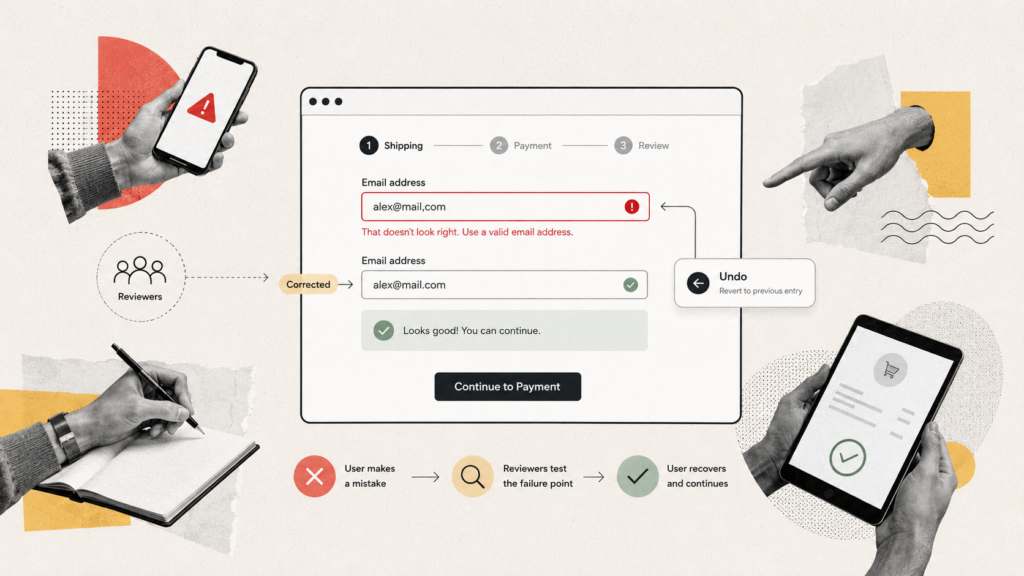
Reviewers should test what happens when users make mistakes.
Can they correct an incorrect form field? Can they undo an action? Does the message clearly explain what went wrong and how to fix it?
Effective UI UX design prevents avoidable errors and helps users recover from unavoidable ones without restarting the entire journey.
9. Rate Issues by Severity
Not every problem deserves the same level of priority.
Rate each heuristic evaluation finding according to how frequently it occurs, its impact on the user and how difficult it is to recover.
A severity scale may classify issues as minor, moderate, major or critical. Critical issues that prevent task completion should usually be addressed before cosmetic inconsistencies.
Improving CoverSure’s Mobile Experience

CoverSure needed to make insurance policies and personalised insights easier to understand within a feature-heavy application.
Brucira began with a focused audit of the existing product, identifying inefficient flows, inconsistent interface patterns and unclear hierarchy. Navigation was then streamlined, layouts were simplified and the core policy-management journeys were refined.
The final app brought policies, family portfolios and personalised insights into one clearer dashboard. It demonstrates how a UX audit can guide practical UI UX design improvements without requiring every part of a product to be rebuilt.
10. Prioritise Recommendations and Next Steps
Combine duplicate findings and turn them into clear recommendations.
Each issue should include the affected screen, violated principle, severity, supporting evidence and proposed improvement. Teams can also include relevant UX design examples from competing or comparable products to demonstrate possible solutions.
The final heuristic evaluation report should separate urgent usability barriers from medium-term improvements and lower-priority refinements.
Final Thoughts
A heuristic evaluation helps teams find usability issues quickly, prioritise improvements and create a clearer product experience.
It should not become a checklist that is completed once and forgotten. Strong product teams combine a heuristic evaluation with analytics, accessibility checks and direct user testing.
Whether you need a focused review or complete UX audit services, Brucira can connect research, UI UX design and product strategy to identify practical improvements.
Have a product that needs review? Reach out to us at hello@brucira.com.
FAQs
Q1: What is a heuristic evaluation in UX design?
A heuristic evaluation is an expert review of a website, application or digital product against established UX heuristics. It helps identify usability problems involving navigation, consistency, system feedback, error handling and user control.
Q2: What is the difference between a heuristic evaluation and a UX audit?
A heuristic evaluation is one method used within a broader UX audit. A complete UX audit may also include analytics, accessibility testing, competitor reviews, user research and mobile UX assessments.
Q3: How many reviewers are needed for a heuristic evaluation?
A heuristic evaluation can be completed by one reviewer, but using several independent specialists usually identifies a wider range of usability issues. Reviewers can then combine findings and prioritise them according to severity.
Q4: Can a heuristic evaluation improve mobile UX?
Yes. A heuristic evaluation can identify mobile UX problems involving small touch targets, unclear navigation, long forms, missing feedback, inconsistent gestures and difficult recovery paths. These findings can guide more effective UI UX design decisions.
Q5: Where can I get professional UX audit services?
Brucira provides UX audit services, user research and UI UX design for websites, mobile applications and digital products. Our team applies established UX heuristics, product evidence and relevant UX design examples to identify problems and recommend practical improvements.
Reach out to Brucira at hello@brucira.com to discuss your product.